
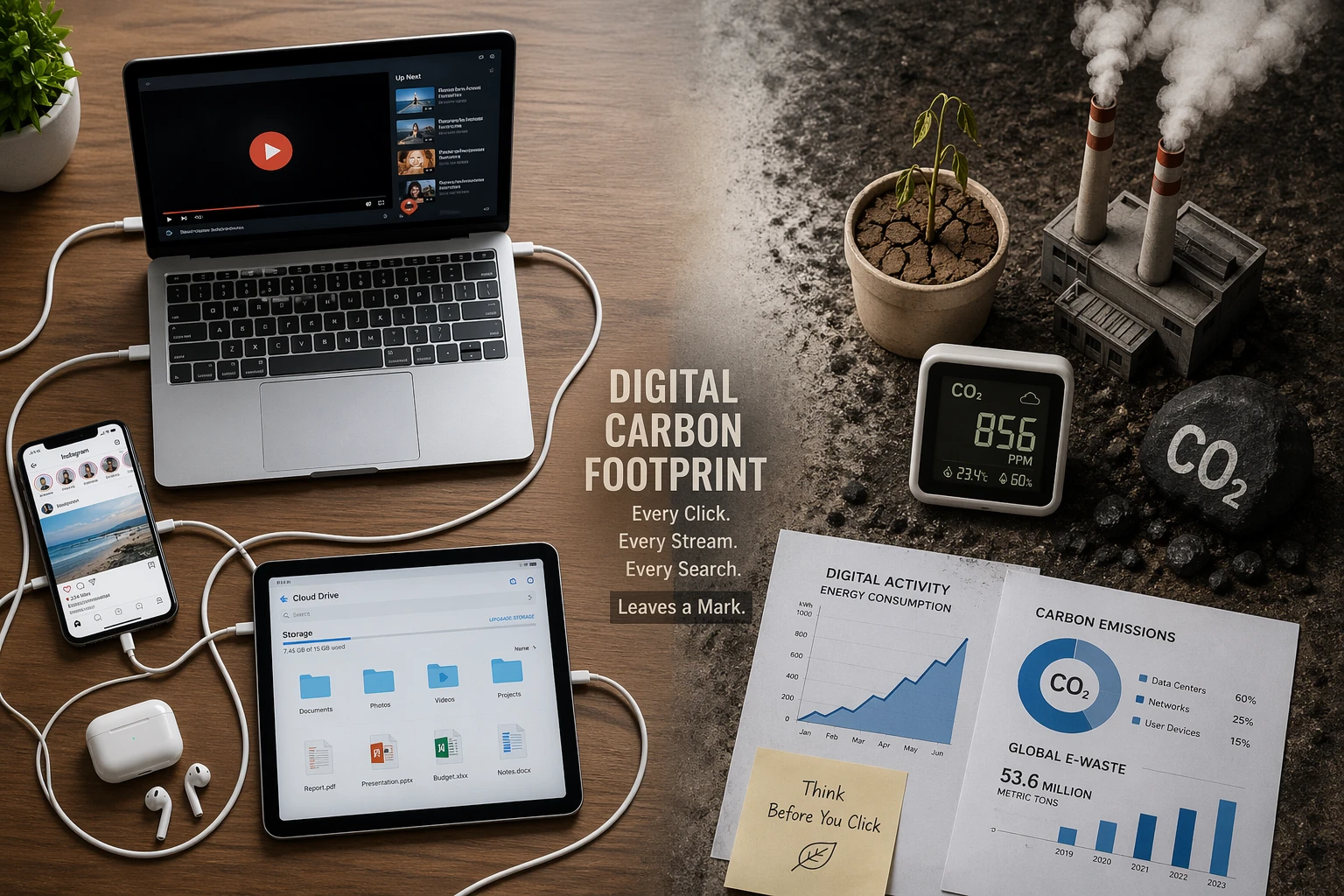
You can lower your digital carbon footprint by adjusting device settings, clearing unused files, and rethinking how you stream and browse online. These actions might feel small, but the energy needed to power emails, cloud storage, and other digital services adds up faster than you’d think.
But the harder part is identifying what actually drives the most energy use. Surprisingly, much of it happens in the background where it’s easy to miss.
This guide will help you uncover those hidden energy drains and walk through practical changes you can make at home. You’ll learn simple tweaks to how you charge devices, manage storage, and use the internet to reduce your digital energy use without disrupting your routine.
Let’s get started.
What Makes Up Your Digital Carbon Footprint?
Your digital carbon footprint comes from two main areas: the energy behind online services and the devices you use at home. Here’s how each one contributes.
Energy Consumption from Streaming and Cloud Computing

Streaming video uses energy behind the scenes. The Carbon Trust estimates that one hour of streaming can produce around 55 grams of CO₂ in Europe, depending on quality and network conditions.
Cloud storage works in the same way. Files are stored on remote servers that run continuously and require cooling. That’s why larger files and higher video quality increase the energy used, which raises your digital carbon footprint.
Data Centres and Always-On Devices
Data centres keep apps and websites running, and they use massive amounts of electricity. According to the International Energy Agency, their power demand grew by 17% in 2025, compared to 3% global growth. A large share of this energy also goes into cooling systems to prevent overheating.
At home, always-on devices add to this footprint. TVs, routers, and consoles continue to draw power in standby mode, even when not in use.
Keep Your Devices Running Longer
Did you know a single 2 kg laptop requires 600 kg of minerals, 200 kg of fossil fuels, and thousands of litres of fresh water to manufacture? That means most of a device’s environmental impact happens before you even start using it. But the good news is that you can reduce this impact in several ways:
- Extend the Life Cycle: Keeping your laptop or phone in use for even two extra years can cut its lifetime carbon footprint nearly in half.
- Repair Instead of Replace: If a device breaks, check if it can be repaired before discarding it. A cracked screen or worn battery produces far less carbon than buying a new device, and many repairs can be completed in under an hour.
- Buy Refurbished When Possible: Refurbished electronics reuse existing materials, which eliminates the need for new mining and manufacturing. This saves a substantial amount of energy compared to producing a new device.
- Charge Smarter: Keep battery levels between 20% and 80% to extend battery lifespan. Full charges place extra strain on the battery and can reduce how long the device remains useful.
This way, treating devices as long-term investments supports a circular economy where products get reused instead of discarded, which conserves natural resources.
Manage Power Use Around the House
Electronics at home continue draining energy even when they appear off. Two areas account for most of that waste: devices left plugged in and screen settings running higher than necessary. Let’s break them down.
Unplug Chargers and Use Power Strips
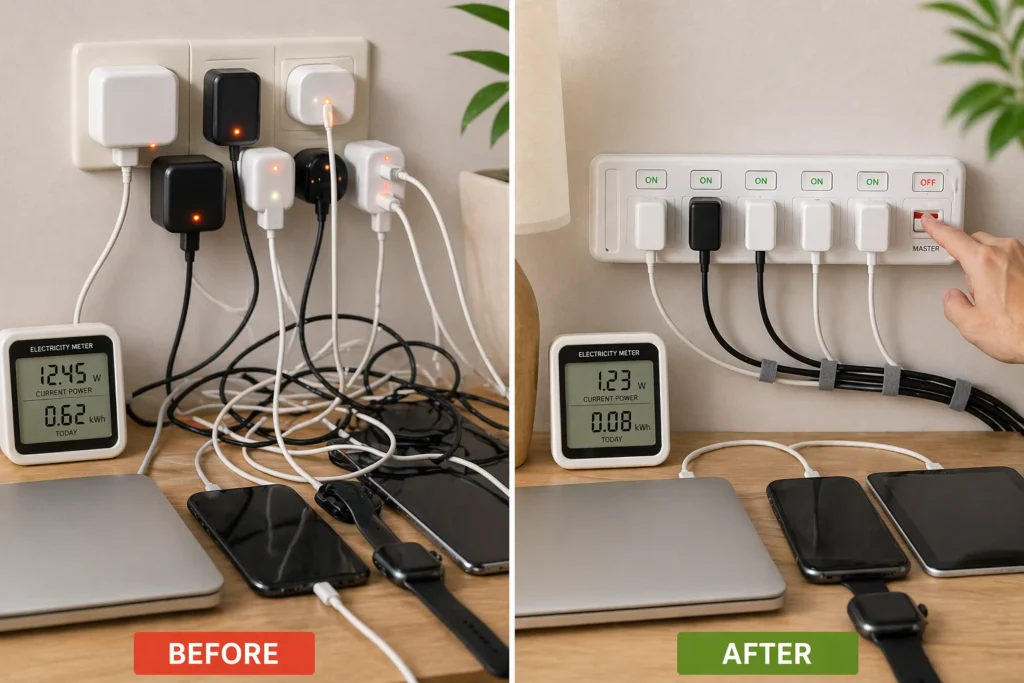
Phone chargers draw power the entire time they’re plugged into the wall, even without a device attached. However, unplugging each one individually can be tedious with multiple devices around the house. Instead, you can use a power strip with a switch that lets you cut power to several chargers at once, which reduces energy waste more easily.
Screen Settings That Save Energy
Screens are one of the most power-hungry parts of your device, especially at high brightness levels. Display activity and background processes both contribute to that ongoing energy use.
From our own tests, you can reduce screen brightness as a simple way to cut this. Lowering it by 50% can often reduce consumption by up to 20%. Dark mode can also save energy on OLED screens, where black pixels switch off instead of lighting up.
Background activity adds further strain. Animated wallpapers and frequent notifications keep the processor active throughout the day. Limiting these reduces unnecessary power draw.
Clean Up Your Digital Clutter
UNICEF research found that only 5% of stored data gets actively reused after 90 days. The rest sits on servers running continuously, consuming energy for files nobody touches. Clearing it out regularly is one of the simplest ways to reduce your digital footprint:
- Delete Old Emails: Emptying your inbox and trash folder removes unnecessary emails and attachments from data centres permanently, which cuts the energy needed to store them.
- Unsubscribe from Newsletters You Ignore: If you’re not reading a newsletter, just unsubscribe. They still use storage, processing power, and energy even when unopened.
- Remove Unused Apps: Most apps get abandoned within months, but keep running background processes that drain battery and processing power continuously.
- Compress Large Files: Big files in cloud storage consume more server space than necessary. Compressing them before uploading reduces that load without losing the files themselves.
Running regular checkups goes a long way. When we reviewed our own file storage last year, we found nearly 40% of saved documents were duplicates or outdated drafts. Clearing that freed up space and reduced unnecessary energy use in storage and processing.
Adjust How You Browse and Stream
Everyday browsing habits affect how much energy your device and the wider network use. Even small actions can increase the amount of data processed and transmitted.
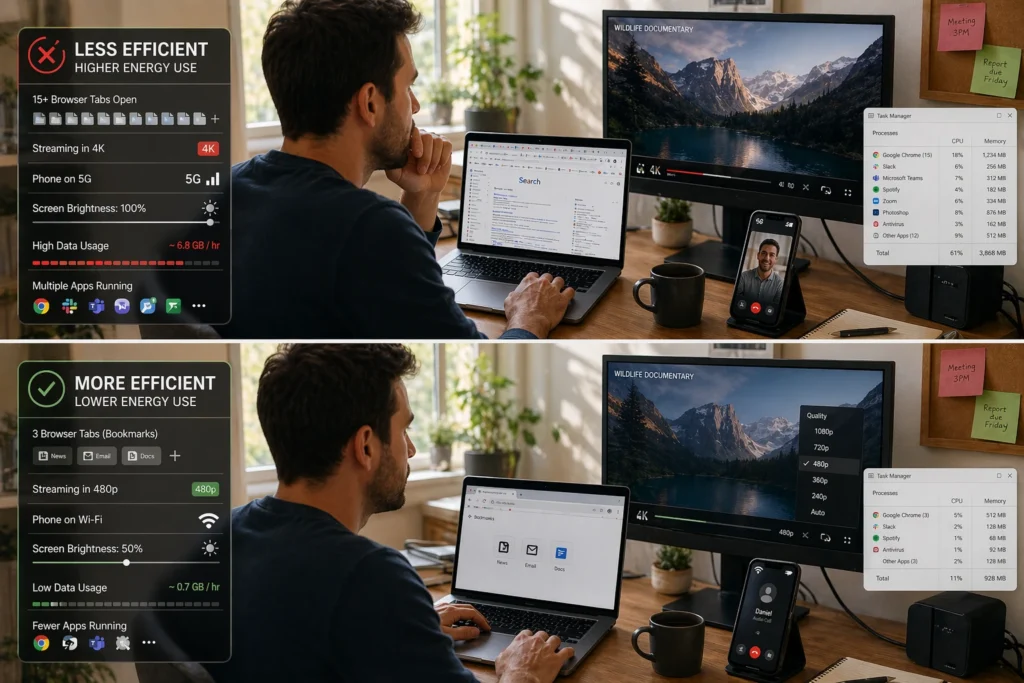
Searching for a website, for example, uses more energy than opening a saved bookmark because queries pass through multiple servers. Keeping frequently used sites bookmarked reduces this extra processing. Open tabs also increase resource use, as each one uses memory and keeps your device working in the background.
Streaming and communication choices have an even larger impact. Higher video quality increases data usage, which raises energy demand across networks and data centres. Switching from HD to standard definition reduces this, while audio calls use far less energy than video for the same duration.
The type of connection you use also affects energy consumption. Wi-Fi typically requires less power than 4G or 5G, as mobile networks rely on energy-intensive cell towers rather than local routers. Using Wi-Fi where possible helps reduce overall energy use.
Take Small Steps Toward Green Computing
Each action you take at home might seem small, but the impact grows across millions of users. Adjusting screen settings, managing files, and using devices more efficiently all reduce energy use without disrupting your routine.
Start with one or two changes from this guide and build from there. Over time, these habits will lower your digital carbon footprint without requiring major changes to how you use technology.
For more on reducing tech-related waste, visit Chaire-Cycledevie for guides on computer recycling and sustainable device practices.