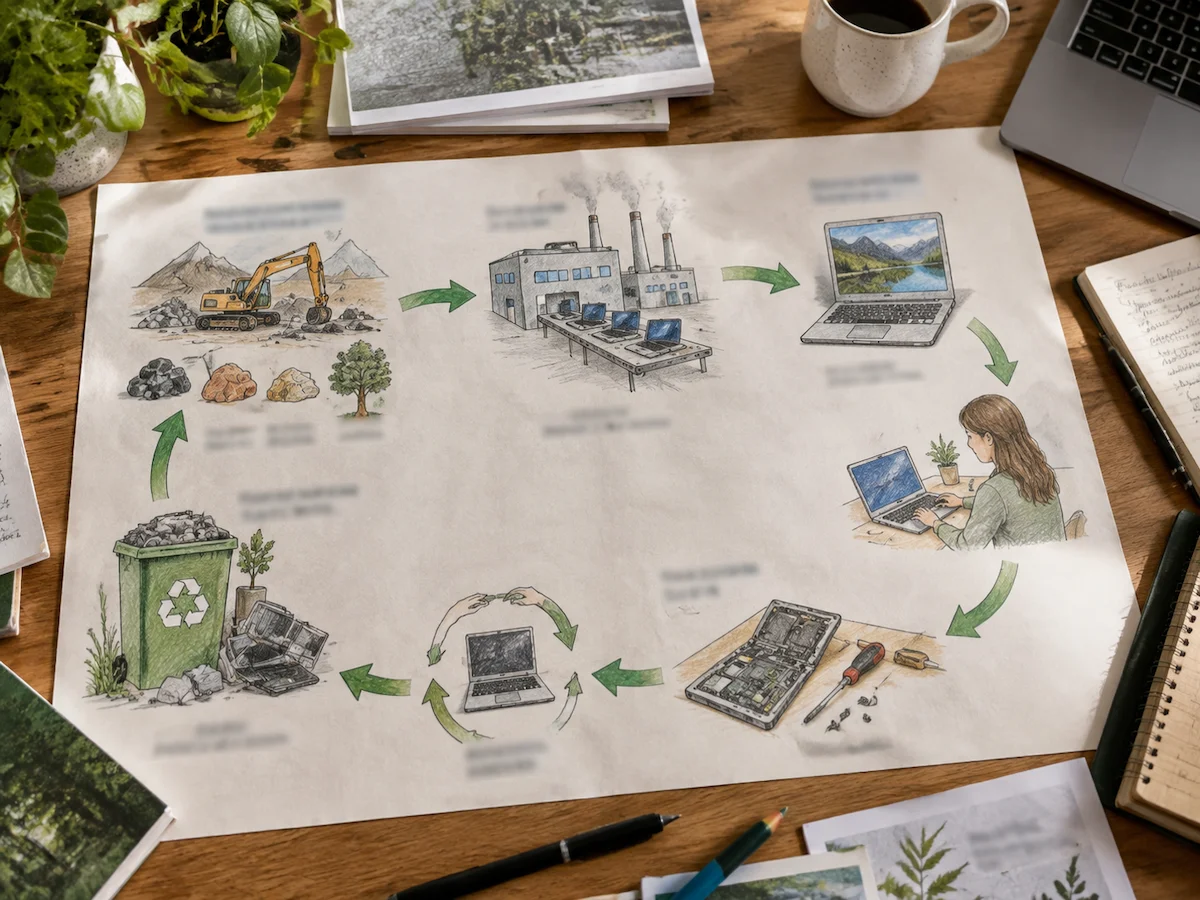
The life cycle of a computer runs from mining and manufacturing, through years of daily use, to recycling. All of these stages consume energy, water and metal long before you press the power button.
However, most people only see the usage stage, when the computer sits in their hands and hides the earlier environmental costs behind everyday use. Chaire-Cycledevie studies the whole chain, because the hidden phases carry the heaviest environmental load. Our researchers process life cycle data from each stage in turn.
This guide follows a computer’s full life cycle, covering raw material extraction, manufacturing impacts, years of use, and responsible recycling options. Let’s start where every computer begins.
Raw Materials to Assembly: How a Computer’s Life Cycle Begins
Each computer begins with raw materials extracted from mines before manufacturers process them into electronic components. Those materials include around 240 different elements inside a single notebook computer, which miners source from mining sites spread across four continents.
Three stages move that ore through processing before it becomes the computer systems we use every day.
Mining the Metals Inside Every Computer
Mining supplies the copper, gold, aluminium and rare earth metals that sit inside desktops and laptops alike. But that’s not all. Producing one laptop can require around 1.2 tonnes of extracted earth and materials, which shows how much resource movement happens before the device reaches a user.
As ore grades keep falling over time, companies are also digging deeper and processing more waste rock for the same harvest. Even after reading supplier disclosures for years, we still find gaps in the data on the scarcest metals (cobalt and tantalum stay hardest to trace).
That first stage sets a floor on impact, and no later choice can undo it. Eventually, every extra year of use spreads the mining cost further across a machine’s working life.
Building Circuit Boards and Microchips From Raw Ore
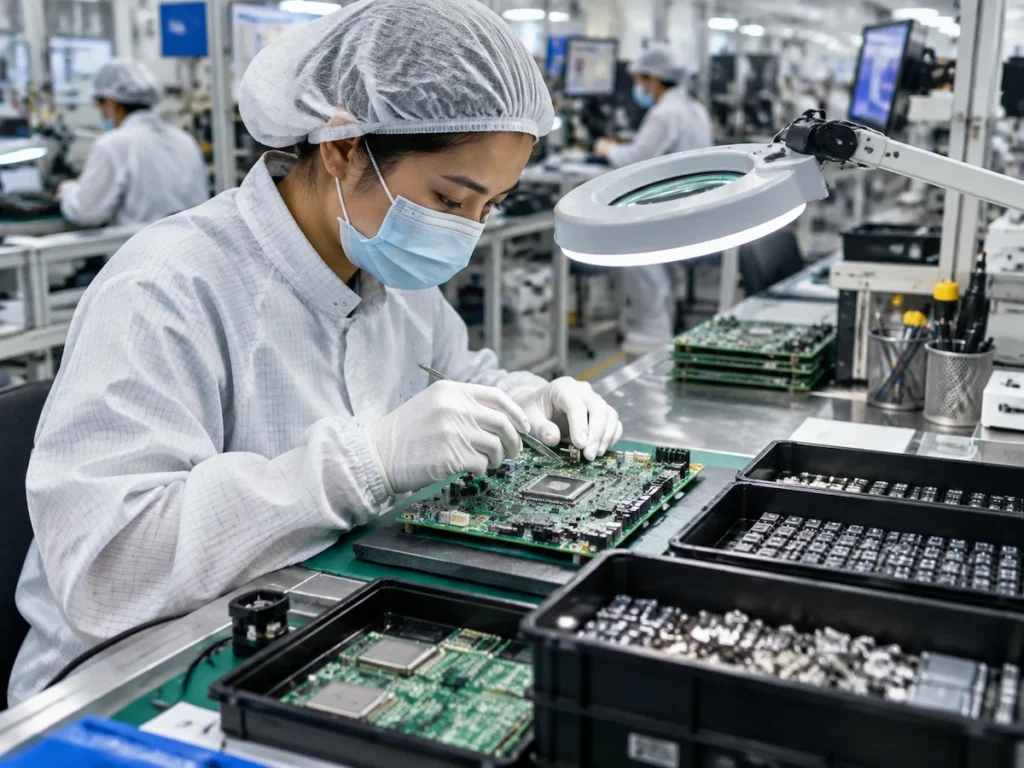
To build circuits and microchips, refineries melt the ore into pure ingots. Fabrication plants then slice those ingots into silicon wafers. This way, a modern computer processor passes through several hundred steps before it leaves the plant.
On top of that, each step needs ultra-pure water, and one large plant can draw 10 million litres a day (terrific, right?). After chip production, assembly lines place those components onto circuit boards inside sealed clean rooms.
After all this, you receive finished computer hardware, a few hundred grams heavy, holding metals from a dozen countries. And such tight mixing explains why recovering usable material later takes patient, specialised work.
Why Does Manufacturing Carry the Most Carbon Footprint?
Manufacturing tops the carbon footprint list because chip fabrication runs on constant electricity and highly refined chemicals. Roughly 75 to 80% of a laptop’s lifetime carbon sits in production, transport and packaging rather than use.
So one new purchase costs more in emissions than several extra years of running the computer you own. That makes extending a device’s usable life one of the simplest ways to reduce its upfront environmental cost.
A refurbished kit also avoids much of such initial manufacturing load while usually costing less than new equipment (and usually saves you a third on the price).
How Long Does a Computer Typically Last Before Replacement?
With that factory cost in mind, the length of the use phase becomes the deciding factor.
A computer typically lasts three to five years before performance drops or vendor support ends. Different types of computers age at different rates, though four pressures come up again and again.
- Hardware Wear: Ageing parts slow a machine long before it stops working, as thermal paste dries out and fans clog with dust. Hard drives also lose write speed after years of daily use.
- Software Support: Hardware and software age at different speeds, and support tends to run out first. Once updates and security patches stop arriving, most businesses swap the machine within months for insurance reasons.
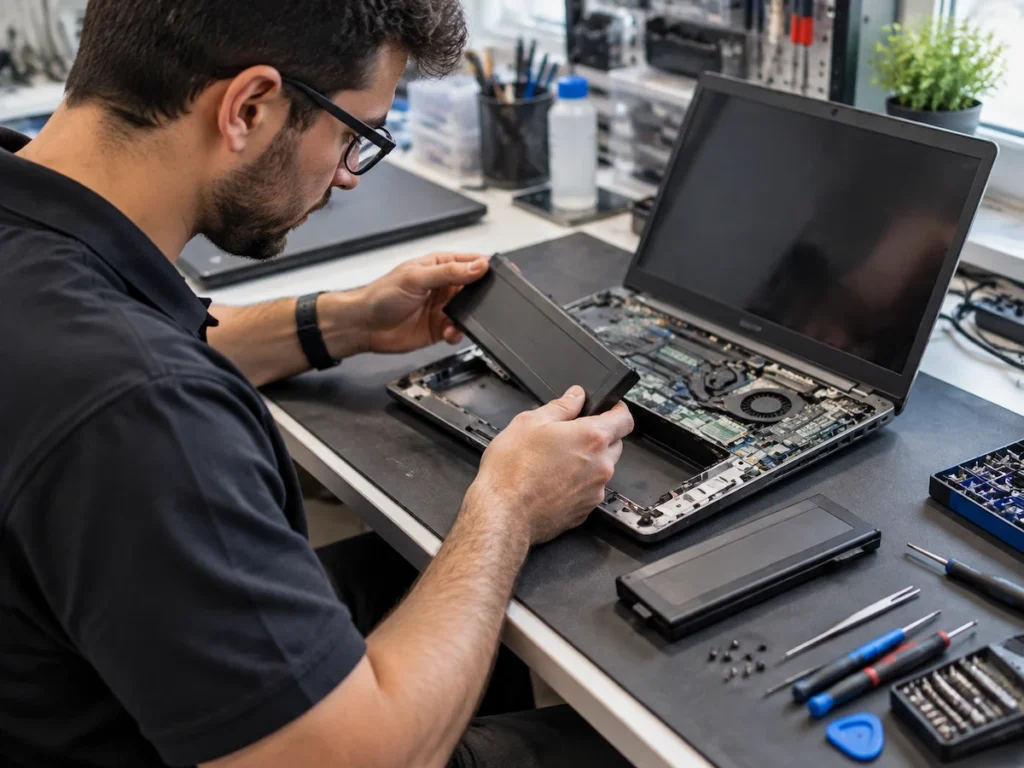
- Battery Health: Battery capacity naturally drops after repeated charging cycles, with many laptop batteries reaching around 80% capacity after 500 charge cycles. In this case, replacing the battery usually costs far less than replacing the entire device.
- Upgrade Potential: Limited upgrade options can shorten a laptop’s usable life, especially when manufacturers solder memory or restrict access to internal parts. Considering this, desktop computers usually offer easier upgrades because users can replace components as needed.
Three of those four limits have cheap fixes, so five years of system life suits most users.
And companies call this planning “Computer Lifecycle Management”. This approach helps businesses decide when to repair, upgrade, or replace devices while considering support timelines.
The Way Daily Use Influences a Computer’s Environmental Impact
A computer’s daily use phase still carries an environmental cost through electricity consumption, maintenance choices, and how long the device stays in service.
Among them, energy-efficient settings can significantly cut yearly power use. For instance, a desktop PC left on all day draws about 200 kWh a year, while a laptop doing the same work uses closer to 50 kWh.
Beyond the power bill, the software you run changes the load your machine carries. Specifically, small background tasks like these can keep hardware working harder:
- Background sync tools copy data all day
- One forgotten process keeps the processor busy
- Every AI feature that calls the cloud adds server energy on top of your own
In comparison, light input/output work, typing and email, barely troubles modern silicon.
Honestly, a monthly single audit of those startup items often buys you another year of work cycle (the fan noise usually tells you first). Screens, keyboards and other input and output devices also tend to outlast the box they plug into.
Storage habits count as well. Tidy personal data shortens backup runs and cuts what you later need to wipe. In the audits we run with IT teams, machines with clean drives and current firmware stay useful about eighteen months longer than neglected ones.
Nursed a laptop past its fifth birthday? Then you already know repair beats replacement on cost and carbon. One new battery, a fresh operating system and an extra memory module keep the same computer earning its keep.
Comparing Computer Recycling Options at End of Life
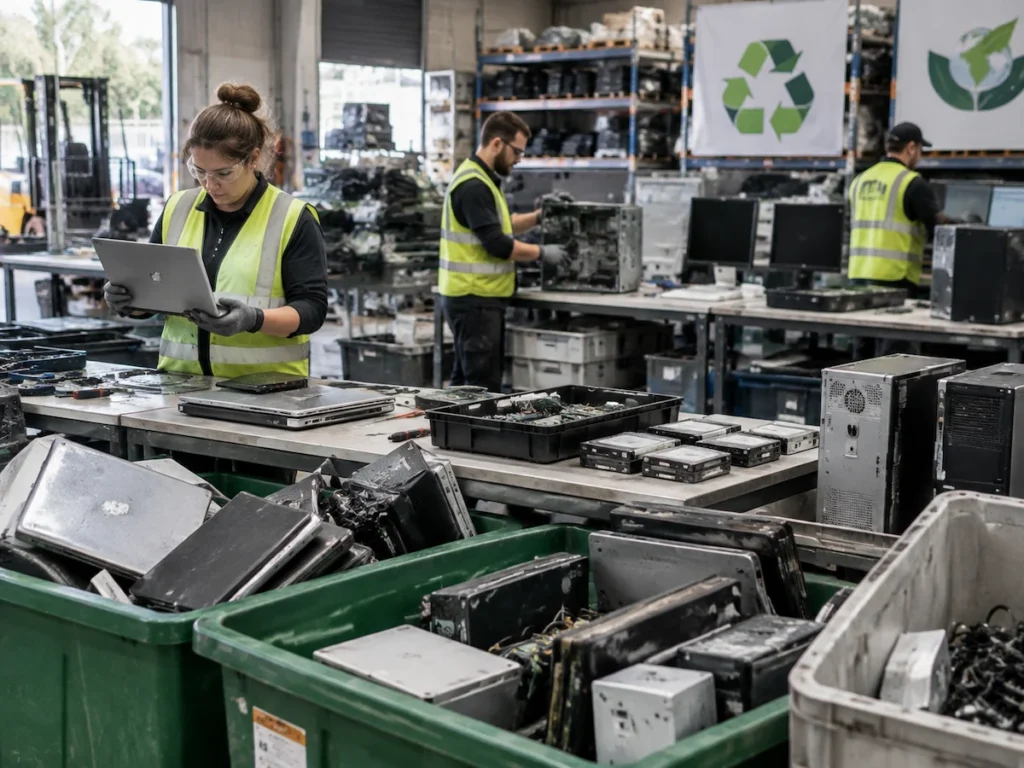
Moving from the desk to the disposal bin, recycling closes the life cycle of a computer. According to the Global E-waste Monitor 2024, global electronic waste reached 62 million tonnes in 2022, and only 22.3% was formally collected and recycled in an environmentally sound manner.
Computer recycling splits into these main routes:
| Recycling Option | What Happens | Best For |
|---|---|---|
| Manufacturer take-back scheme | Brand collects free, wipes data, recovers parts | Devices still under warranty |
| Certified electronic waste recycler | Licensed site shreds and separates metals under WEEE rules | Broken or unsafe units |
| Refurbishment and resale | Testing, cleaning and a fresh install find a second owner | Working machines under five years |
| Component harvesting or donation | Drives, memory and screens move into other builds | Spare parts, schools, charities |
Quick Tip: Check the privacy policy and data handling process of any recycling scheme before handing over a device. As data destruction standards vary, ask how the recycler wipes or removes storage drives.
External hard drives need the same attention as the computer itself. A certificate of erasure provides proof that stored data was removed before the drive changed hands.
Making Every Stage of a Computer’s Life Cycle Count
The life cycle of a computer spreads its impact unevenly across mining, factories, daily use and disposal. That’s why knowing where the weight really sits tells you which habits repay your effort.
Over the years, computer history keeps repeating itself: faster machines, shorter lives, huge piles at the end. To stop that cycle,
- Keep your current device longer
- Run it on efficient settings
- Send it somewhere accountable when it retires
Small decisions like this create a meaningful impact across millions of computers.
Chaire-Cycledevie shares research and assessment tools for organisations, businesses and students to measure the environmental impact of products across their full life cycle. Ready to plan a smarter refresh? Contact us for guidance on measuring your own impact.